So after completing the AWS Certified Solutions Architect – Associate certificate back in October, I thought that this would be a good idea to also pursue the Solutions Architect certificate. So just before Christmas, I succeeded in getting the second AWS certification:
In this post, I can provide version 3.5.34 of the Java Service Wrapper for Windows x64.
As always, I don’t guarantee anything, so please note:
Read the rest of this entry
At SBB, for some workload we are leveraging the wonderful capabilities of Amazon Web Services. As a result, I have been working a lot more with AWS for the past few months and have decided to go for the SysOps certification. So here we go, I am now an “AWS Certified SysOps Administrator – Associate”:
While some AWS services are not perfect, I enjoy it very much to work with such a great platform. I am even thinking about getting more AWS certifications :).
So when using NodeSelectors in OpenShift, you’ll also have to set labels on your nodes. You can find more information on labeling nodes in the OpenShift documentation. Here is how you can add or remove a label from a node or pod:
To add a label to a node or pod:
# oc label node node001.krenger.ch mylabel=myvalue
# oc label pod mypod-34-g0f7k mylabel=myvalue
To remove a label (in the example “mylabel”) from a node or pod:
# oc label node node001.krenger.ch mylabel-
# oc label pod mypod-34-g0f7k mylabel-
You can also use oc label -h to see more options for the oc label command.
I am currently toying around with GlusterFS and I am using Ansible to deploy and configure my server.
Using the yum module, I wanted to install the Gluster server package like so:
- name: Install glusterfs-server package
  yum:
    name: glusterfs-server
    state: latest
But when executing the playbook, I received the following error on executing this module:
Read the rest of this entry
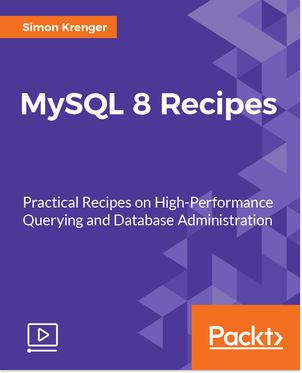
In the past few months, I worked closely with Packt Publishing to create a new video course for MySQL 8. Today, the video course was released into the world. I am pround to present to you the new video course “MySQL 8 Recipes“:
In this video course, I tried to include the most common tasks for database administrators while focussing on the new features of MySQL 8. I included the following main chapters:
- Install and configure a new MySQL 8 database
- Upgrade existing databases to MySQL 8
- Perform typical administration tasks
- Master the new querying features in MySQL 8
- Perform performance-tuning tasks
- Optimize your database
- Access databases with PHP, Python, or Java
The video course was released under ISBN-13 9781788393638 and is available per now. Of course, since MySQL 8 is still under development, there will hopefully be many other new features in the new release. But I hope you enjoy this video course. Purchase it here.
Quite some time ago, Tanuki released the latest version of the Java Service Wrapper. Thanks to a generous donation of a Visual Studio license, I am able to provide the latest version. In this post, I can provide version 3.5.33 of the Java Service Wrapper for Windows x64.
As always, I don’t guarantee anything, so please note:
Read the rest of this entry
As I am working more and more with Linux, I am also using a virtual machine with Fedora 25 installed to play around with some things (notably Docker and Kubernetes). On Fedora 25, the default GNOME desktop environment is GNOME 3. But I personally prefer the GNOME Classic user interface.
To change the desktop environment, on login, select “GNOME Classic” as the desktop environment:
Read the rest of this entry
Anyone who has worked with Oracle has encountered the Oracle “hr” schema in one way or another. The Oracle example schema provides a few simple tables with example data to test out some queries or learn SQL.
So when working with MySQL, I like to have the same schema as well. Luckily, Andrei Ciobanu feels the same way and he provides a wonderful adaptation of this sample schema for MySQL on his website: HR Schema for MySQL and Maria DB.
The SQL script for the schema can be found on GitHub: nomemory/hr-schema-mysql (or in my fork: simonkrenger/hr-schema-mysql).
Thank you Andrei!
So in any larger container orchestrator installation, be it Kubernetes or OpenShift, you will encounter pods that crash regularly and enter the “CrashLoopBackOff” status.
$ oc get pod --all-namespaces
NAMESPACE         NAME                       READY     STATUS             RESTARTS   AGE
[..]
my-project-1      helloworld-11-9w3ud        1/1       Running            0          7h
my-project-2      myapp-simon-43-7macd       0/1       CrashLoopBackOff   3774       9h
Note the container that has status “CrashLoopBackOff” and 3774 restarts.
Read the rest of this entry